Multi-platform Adaptation Guide
This document details how micro-apps can be adapted across different platforms to ensure the best user experience.
1. PC Adaption Guide
Environment Requirements
Before starting the adaptation, please ensure the following environment requirements are met:
| Component | Minimum Version Requirement |
|---|---|
| MosApp PC Version | ≥ 1.30.x |
| JS-SDK Version | ≥ 1.1.4 |
Display Modes
Portrait Mode
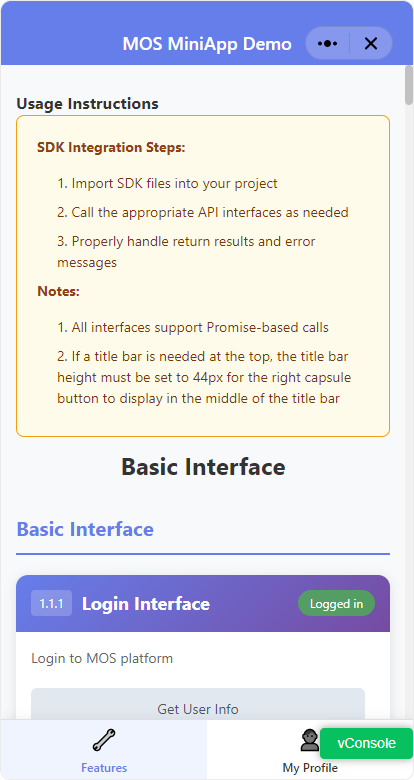
Window Size: 414px × 780px (Width × Height)
Landscape Mode
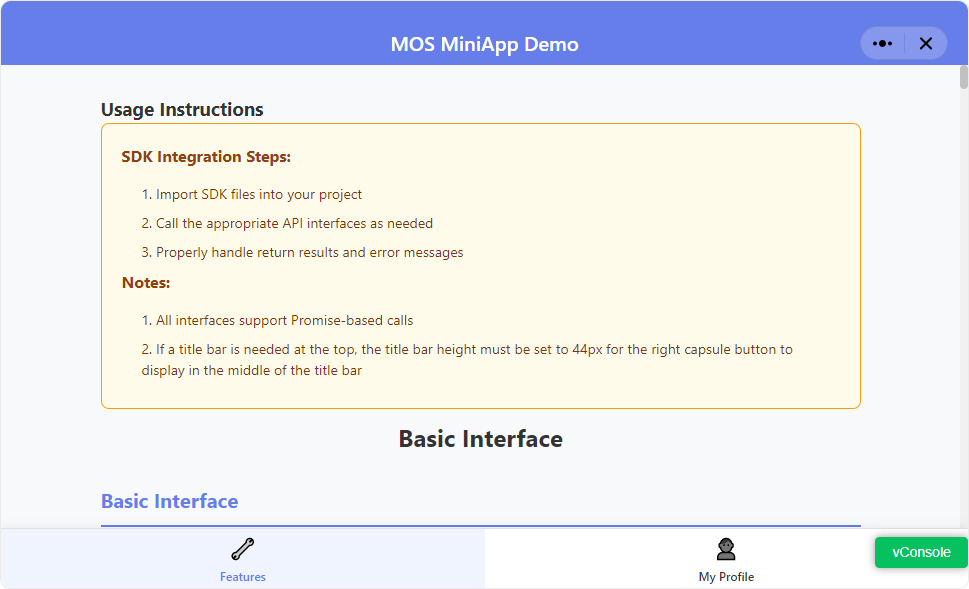
Window Size: 969px × 589px (Width × Height)
Layout Description
The PC interface display is basically consistent with the mobile version.
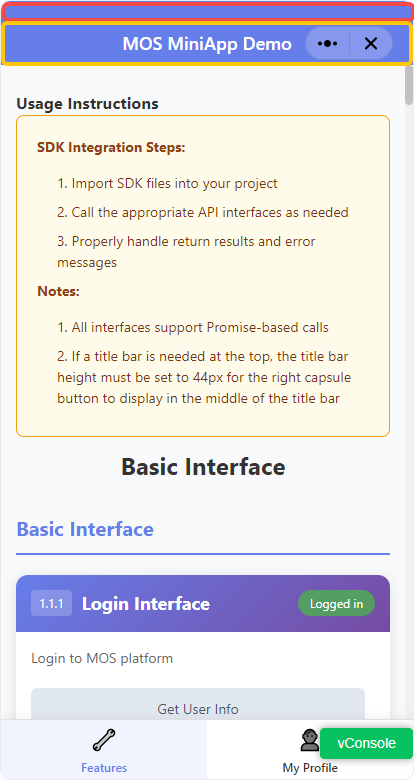
Status Bar (Red Area)
- Height: Obtained through
mos.getWindowInfo()API, fixed at 20px on PC - Position: Fixed at the top of the page
- Function: Users can drag the status bar to adjust window position
Title Bar (Yellow Area)
- Height: Fixed 44px
- Content: Customized by developer
- Capsule Button: Displayed fixed on the right
- Width: 88px
- Right Margin: 20px
- Note: Developers need to reserve enough space to avoid content being blocked by the capsule button
Configuration File
config.json is the global configuration file for micro-apps, used to set portrait/landscape display modes.
{
    "deviceOrientation": "portrait"
}
Configuration Parameters
| Parameter | Description | Options | Default |
|---|---|---|---|
deviceOrientation | Display orientation | portrait, landscape | portrait |
Best Practices
1. Responsive Layout
It's recommended to use responsive design to ensure the app displays properly across different screen sizes.
2. Interaction
The platform has adapted left mouse click to Touch event by default, no additional configuration needed.
FAQ
Q: How to detect if running in PC environment?
A: You can use JS-SDK API to detect the runtime environment:
// Example code
if (window.mos) {
  window.mos.getAppBaseInfo().then((info) => {
    if (info.platform === 'WINDOWS' || info.platform === 'MAC' || info.platform === 'LINUX') {
      // PC-specific logic
    }
  })
}
Q: What if the capsule button blocks content?
A: Ensure the main content area maintains at least 108px (88px button width + 20px margin) safe distance from the right edge.