OpenClaw Integration
1.1 Create BotApp
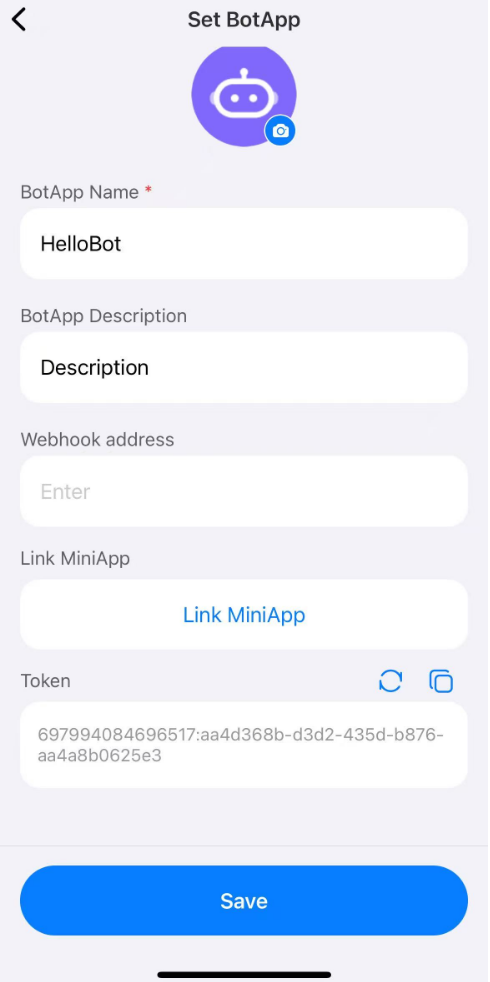
Find the "BotApp" entrance in "Service", click to create a new BotApp. After creating, you can view and copy the token on the Bot application details page. Please keep it properly and do not disclose it.
Note: Please do not configure webhook. If webhook is configured, the system considers it necessary to pass-through the message to the developer, and the OpenClaw plugin will not be able to obtain the message content.
1.2 Configure OpenClaw plugin
1.2.1 Install the plugin for the first time
Go to the OpenClaw Console window and follow the steps to execute the following command. In step 2 below, < bot_token > needs to be replaced with your BotApp private token.
# 1. Install plugin
$ curl -fsSL https://oss.mos.me/public/openclaw/openclaw-mosapp-install.sh | bash
# 2. Configure Bot Token
$ openclaw channels add --channel mosapp --account <accountId> --bot-token "<bot_token>"
# 3. Restart OpenClaw
$ openclaw gateway restart
After executing the above command, you can operate your OpenClaw through BotApp!!
1.2.2 Update plugin
We will update the plugin to provide better service. Enter the OpenClaw Console window and execute the following command step by step to complete the plugin update.
# 1. Update plugin
$ curl -fsSL https://oss.mos.me/public/openclaw/openclaw-mosapp-install.sh | bash -s -- --update
# 2. Restart OpenClaw
$ openclaw gateway restart